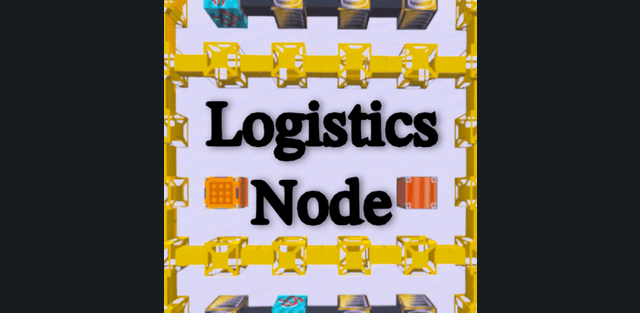
Addon: Logistics Node
Author: CrossDarkrix
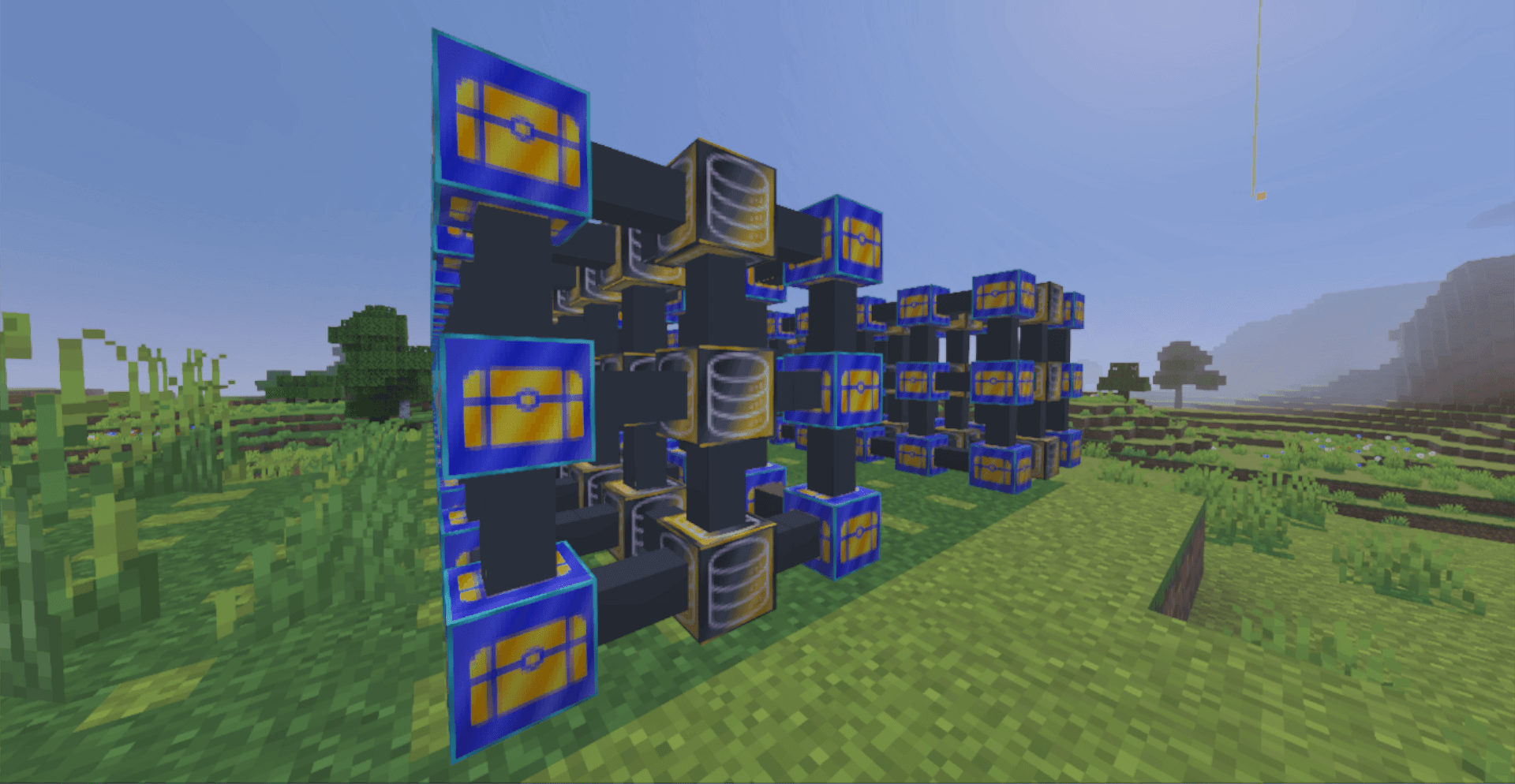
Turn scattered chests into a searchable warehouse, then extend the same system to item routes, farms, crafting and excavation. Each node has a specific job, so a small installation can grow step by step. The guide below starts with the exact three-block connection and explains the components before introducing remote links and mining.
Requirements
Activate both the resource and behavior packs. Version 3.2.4 does not require Beta APIs or any experimental world features. The release is designed for ordinary survival worlds, multiplayer and Realms. Its interfaces and built-in guide support English and Japanese.
Step 1: your first working storage network
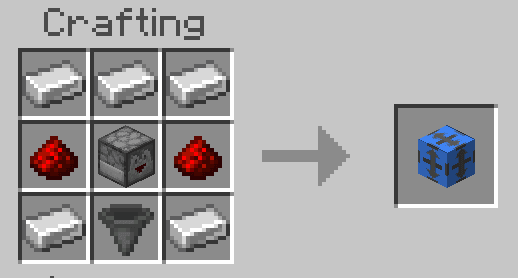
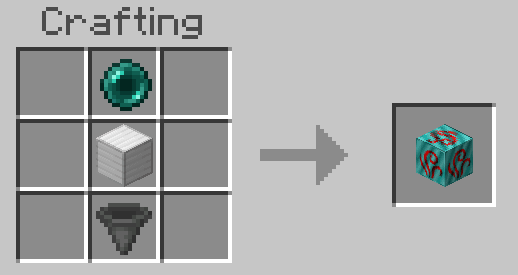
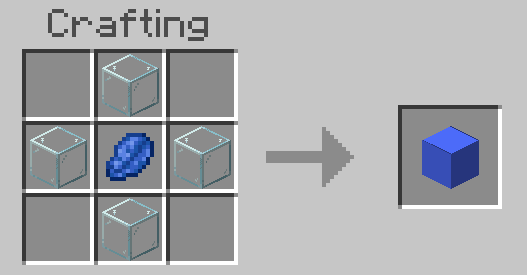
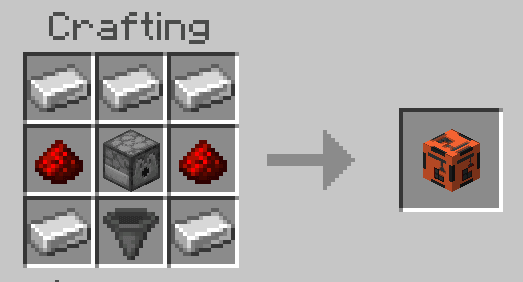
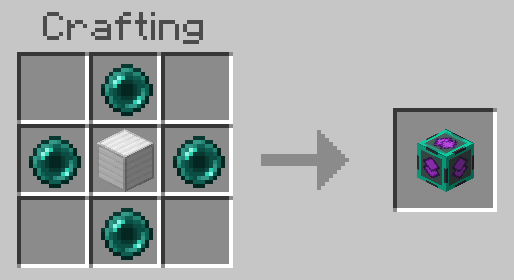
Build this direct chain: Network Controller -> Storage Node -> Chest. The controller must touch the Storage Node, and the chest must also touch that Storage Node. Do not place a Side Node or Center Node between these three blocks: they transport items but do not replace the required direct storage connections. The recipes below create the controller and storage connector.
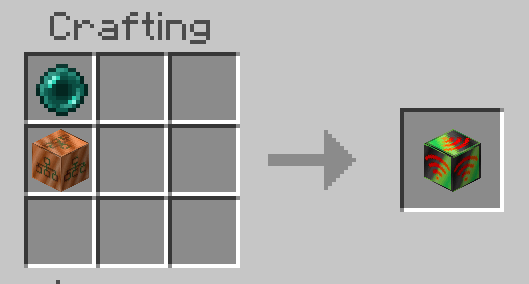
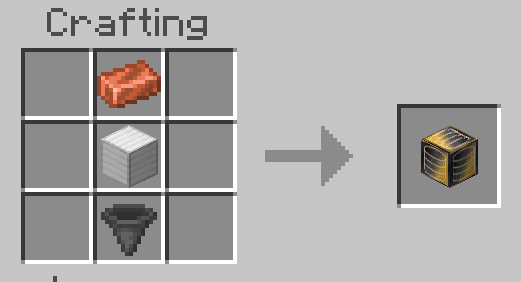
Open the Network Controller. It combines the contents of connected storage, shows total quantities and provides item search and page navigation. Extract supplies into your inventory or deposit them into storage. When you add or remove connected containers, the network updates its storage layout. Start with a small arrangement before building a branched system.
In-game reference book
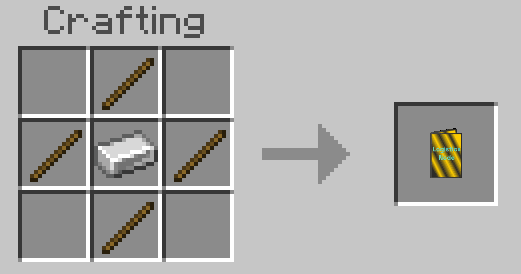
The new Guide Book in 3.2.4 explains major blocks, tools and network layouts using screenshots and multiple pages. Craft it with an iron ingot in the center and sticks directly above, below, left and right. Use the book when configuring a new machine; it covers storage, transport, remote links, mining markers, Chunk Loaders and the Temp Remove Stick.
Step 2: route and sort items
Side Node is a directional connection with one configurable INPUT side and five OUTPUT sides. It supports all six directions, including up and down. Center Node is a junction: each of its six faces can independently be INPUT, OUTPUT or Disabled. Use Side Nodes for directed lines and Center Nodes for branches or merging routes.
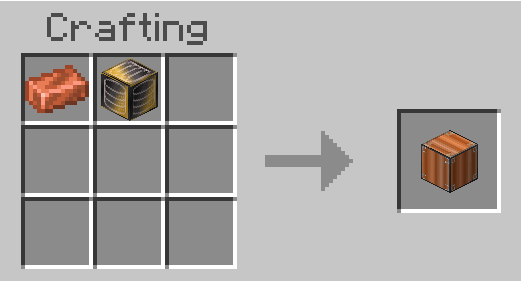
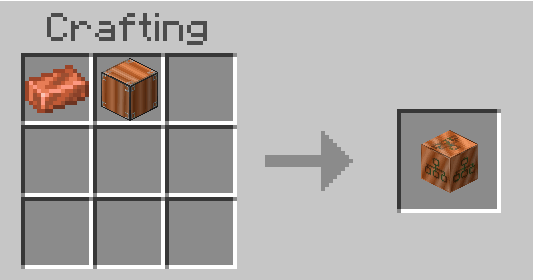
Sort Node filters selected items into the appropriate route. Insert Node feeds items into the transport network, while Output Node provides a dedicated exit. Combine these with storage connectors and directional nodes to separate farm products, building materials and unwanted drops. Check the configured input and output directions if items stop moving.
Collection and larger storage
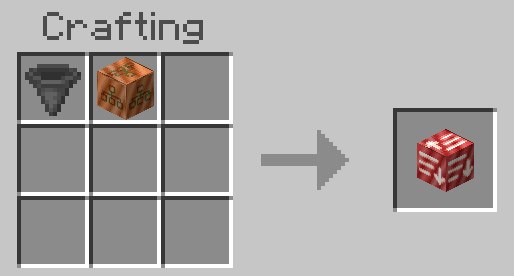
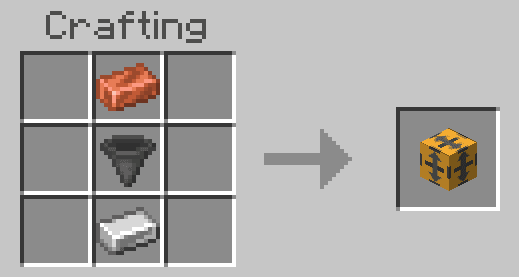
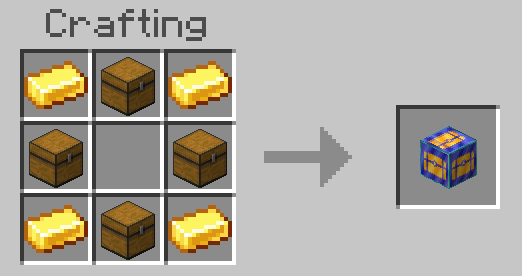
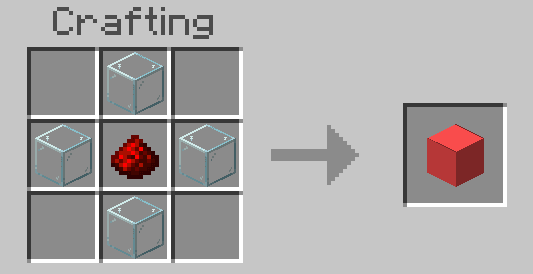
Vacuum Node picks up nearby dropped items and passes them into the logistics system. It is useful beside farms, mob-drop areas and automated workspaces. Large Container supplies high-capacity storage that can be accessed through the network. It also outputs a redstone signal whose strength reflects how full it is.
Step 3: crafting and portable access
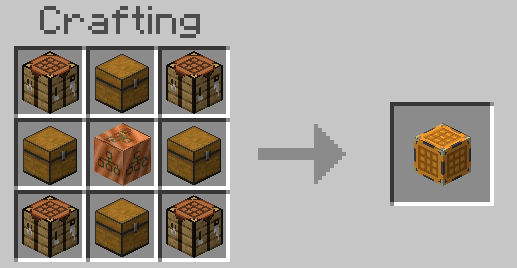
The controller includes a Crafting Terminal for crafting directly with network resources, so you do not need to gather every ingredient from separate chests first. Craft Node is the dedicated crafting component for more advanced layouts. Use the guide to configure the crafting workflow; the recipe below shows how to build the node.
Remote Order provides portable access to network functions. From it, browse and search stored items, extract supplies and open the Crafting Terminal. It is an access tool for your logistics system, not an independent chest with its own contents.
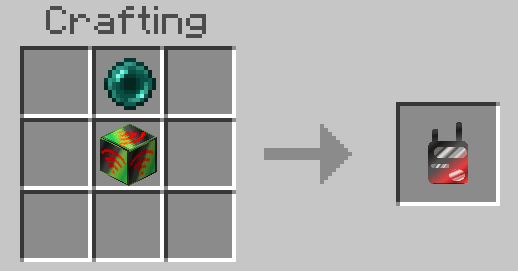
Step 4: distant and cross-dimensional connections
Ender Node connects remote parts of a system without a continuous line of physical nodes. Configure matching channels and SEND/RECEIVE roles for the two ends. Separate channels keep different routes independent. These links work across the Overworld, Nether and End.
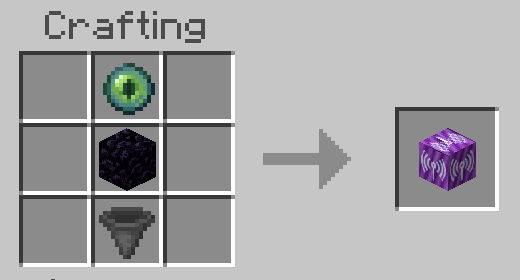
Ender connections can bridge storage networks as well as transport items. The Network Controller can show remote and local supplies together, so storage in another location or dimension can participate in the same search and crafting workflow. A connection must remain available for remote operations to complete.
Automatic excavation with Breaker Node
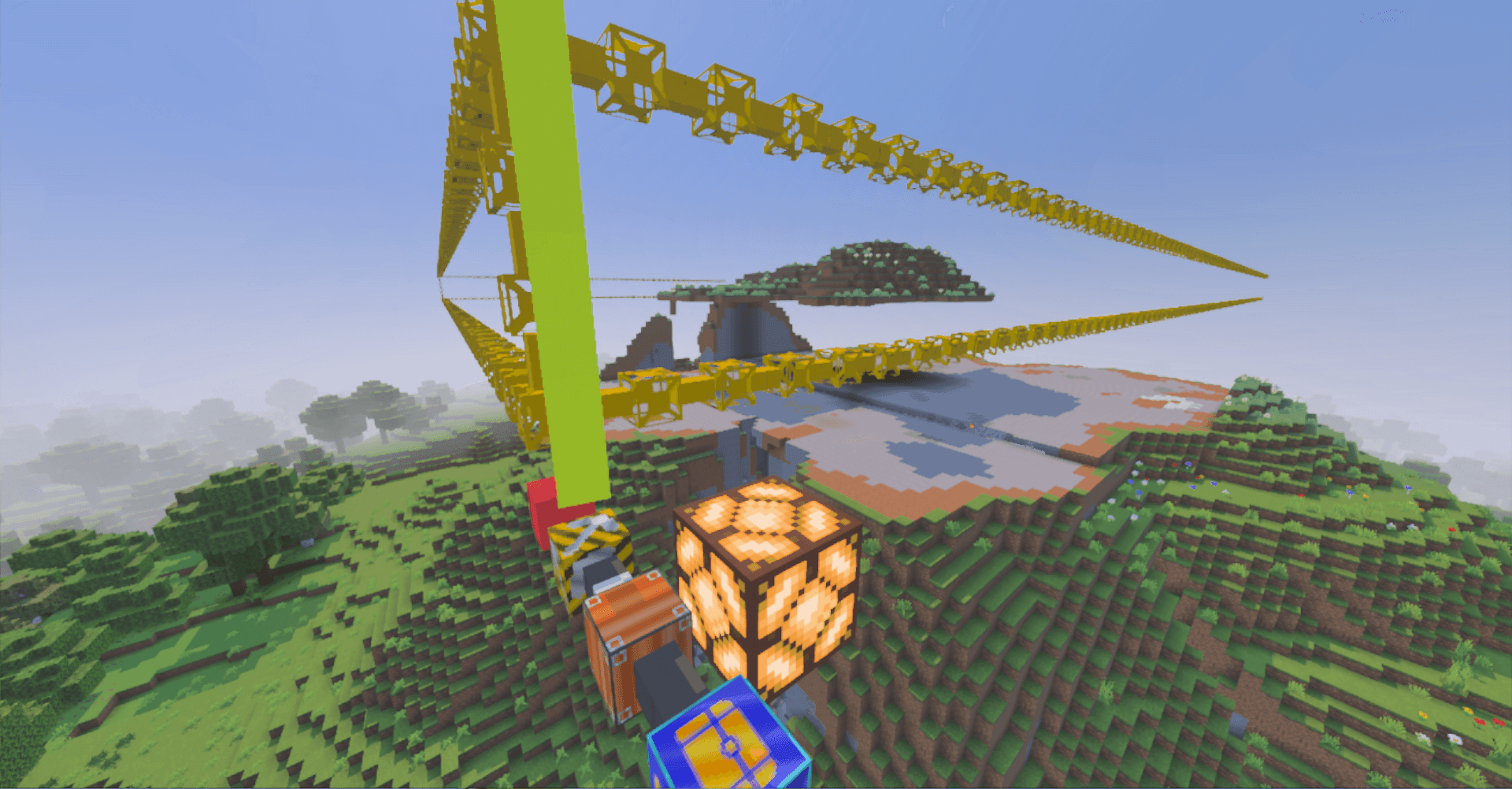
Breaker Node excavates a configured area downward and sends the mined items into the logistics system. Start and End Markers define the mining area; use the guide to configure the machine and its collection route before starting. The visible Breaker Head shows the excavation operation.
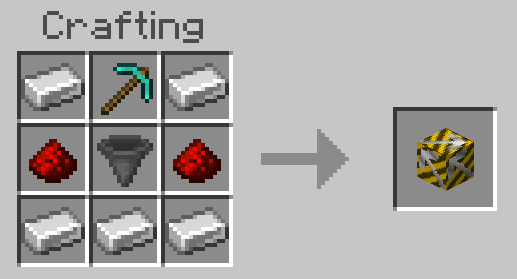
The excavator includes protection against water and lava entering the work area, layer-based liquid handling and special handling for underwater plants and bubble columns. Persistent loading support helps active mining continue. Temporary protective frames are not treated as ordinary mined loot. The system also retries difficult underwater cells and removes stale internal frames.
Placement, disposal and loaded areas
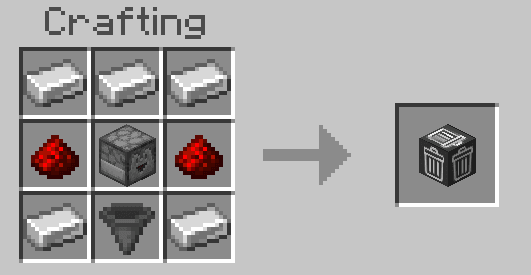
Placer Node places blocks as part of automated workflows. Trash Node removes items sent to its disposal route. Treat the trash connection as destructive: use filtering so valuable resources are not sent into it accidentally.
Chunk Loader supports keeping areas active for machinery and network operations. Add it where persistent activity is needed, then check the built-in guide for the specific setup. It is a separate component, not a replacement for correctly connected storage and transport routes.
Redstone and troubleshooting
Redstone can stop storage transport, Large Containers report their fullness and Breaker operation can be integrated into controlled automation. If a system does not work, first check direct controller/storage/chest adjacency, node directions, filters, Ender channel roles, container space and active chunks. Item operations include rollback handling for full inventories and disconnected routes where possible, but this is not a reason to leave disposal paths unfiltered.
How to install the add-on
Download the .mcaddon or .mcpack file, open it with Minecraft and wait for the import to finish. Then enable the resource and behavior packs in the world settings. If the add-on requires experiments, turn them on before launching the world.