Addon: CobbleDrock

Addon author: lota882.
CobbleDrock is a large Pokémon add-on with creatures from Generations 1-6. Explore the world, catch Pokémon, build a party of six, train partners, learn moves, evolve them and battle wild creatures or other players.
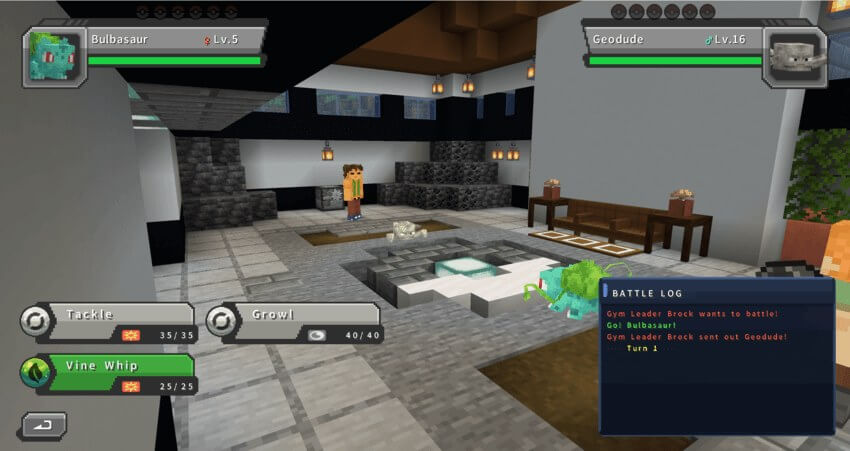
Pokémon and battles
- species-specific models, textures, animations, cries and shiny appearances
- stats, abilities, natures, friendship, IVs, EVs, moves and held equipment
- strategic turn-based battles with all 18 types
- switching, PP, accuracy, critical hits, priority, status effects, weather and terrain
- functional capture Balls with crafting recipes
- controllable land, water and flying mounts for supported Pokémon
Mega Evolution
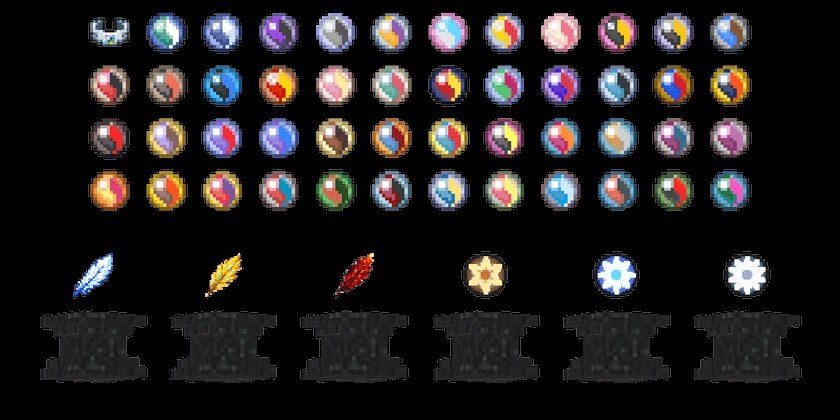
Version 1.2.2 includes 48 supported Mega forms and 47 craftable Mega Stones. Equip the correct stone together with a Mega Bracelet through the Pokémon interface to transform during battle.
Legendary encounters
Articuno, Zapdos, Moltres, Regirock, Regice and Registeel have dedicated monuments or temples, offerings, summoning effects and rewards. Newly generated structures require unexplored chunks.
Progress and storage
- a custom Pokédex records seen and caught Pokémon and can scan creatures in the world
- 60 PC Boxes store up to 1,800 Pokémon
- PC and Healing Machine blocks manage the collection and restore HP, PP and status conditions
- Exp. Share, Rare Candy, Exp. Candy, move learning and move relearning support training
- wild Pokémon levels scale with the player's party
Controls
- use the Pokémon Compass to open the party and summary menu
- sneak and use the Compass to send out or recall the selected Pokémon
- target another player while sneaking to send a battle challenge
- use the Pokédex to open it, or sneak and hold use to scan a Pokémon
The Full package includes the Core gameplay and the optional Content Pack with villages, world generation, landmarks and Legendary locations. A new world is recommended for all structures; every multiplayer player should use the same add-on version.
How to install the add-on
Download the .mcaddon or .mcpack file, open it with Minecraft and wait for the import to finish. Then enable the resource and behavior packs in the world settings. If the add-on requires experiments, turn them on before launching the world.