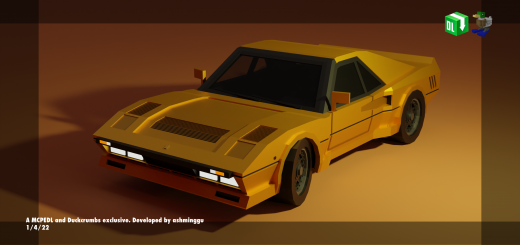
The exotic homologation machine derived from the renown 308 GTB that was mainly developed as Ferrari's take to enter one of the world's most dangerous, exciting and infamous rally tournament, Group B.
Car details
Has high speed, 2 seats, advanced animations and advanced sounds
Car colors
Has 1 variant, consisting of a total of 4 different colors.
Black
White
Yellow
Red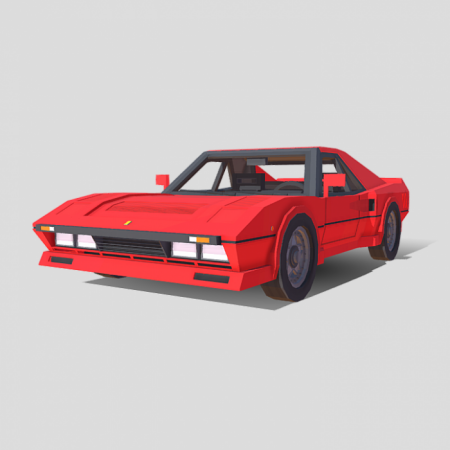
Extra Images
Rear profile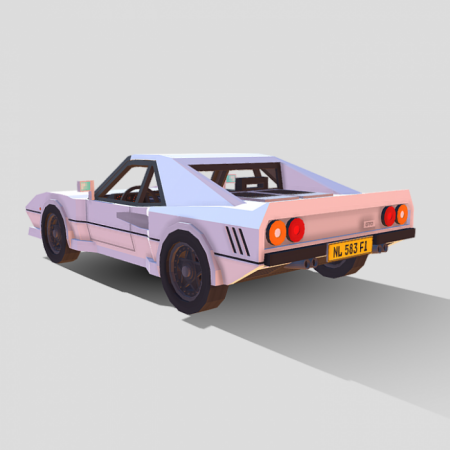
Interior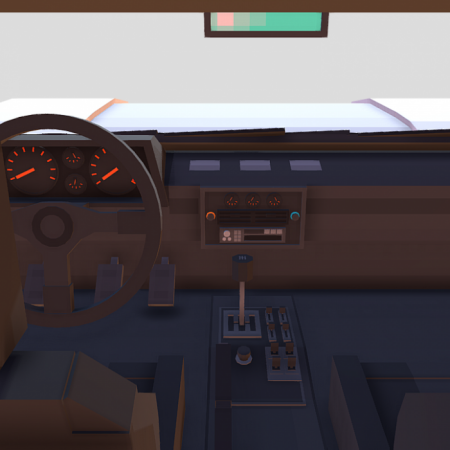
How to open the doors & How to turn on popup headlights
- Doors
To OPEN the doors, right click the car and the doors will open. Right click again to get in.
To CLOSE the doors, right click WHILE shifting/crouching.
- Popups
To TURN ON the popups, right click WHILE shifting/crouching WHEN the doors are closed and the popup headlights will turn on!
To TURN OFF the popups, right click WHILE shifting/crouching.
Advanced sounds
In total there are 6 sound effects for the cars:
Startup sound effect - When the player sits in the car
Driving sound effect - When the player drives the car
Custom car damage sound - When the car is damaged / takes a hit
Door closing sound effect - When the player closes the door
Door opening sound effect - When the player opens the door
Popups on/off sound effect - When the player turns the popups on/off
How to obtain
Method 1: Get their spawn eggs from the Creative Inventory. They are classified as spawn eggs. You can search "288" or “GTO” without the " for a more convenient way of getting them.
Method 2: Use /summon commands.