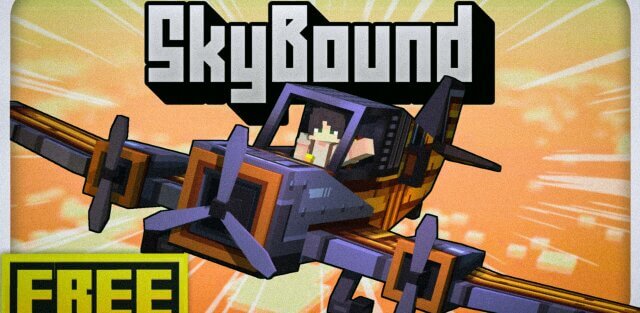
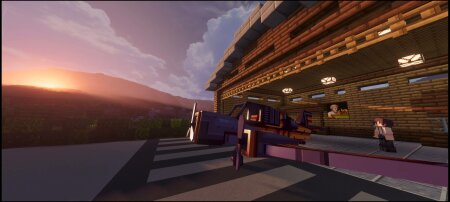
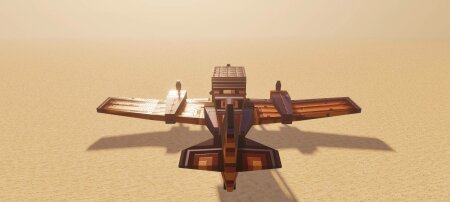
Take flight beyond the clouds with Skybound - Beyond Horizon, a high-quality aircraft add-on for Minecraft Bedrock. This Beta release introduces a fully functional aircraft system built from the ground up, with attention to realism, animation smoothness, and immersive flying mechanics.
CURRENT AIRCRAFT AVAILABLE
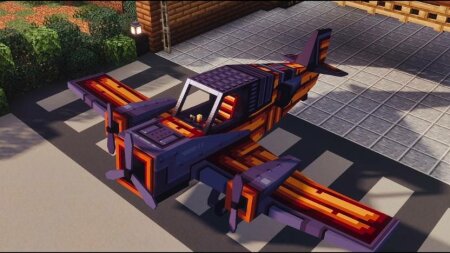
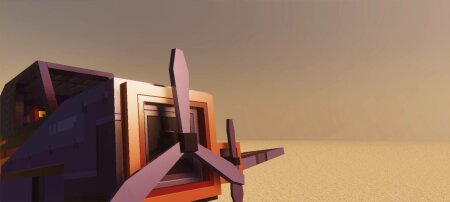
- Skywander: A custom monoplane with 3 propellers, sleek design, and responsive control.
KEY FEATURES
- Takeoff Acceleration System : Gradual speed buildup before flight, creating a realistic runway experience.
- Stalling & Falling System : Lose altitude dynamically when flying incorrectly or running out of fuel.
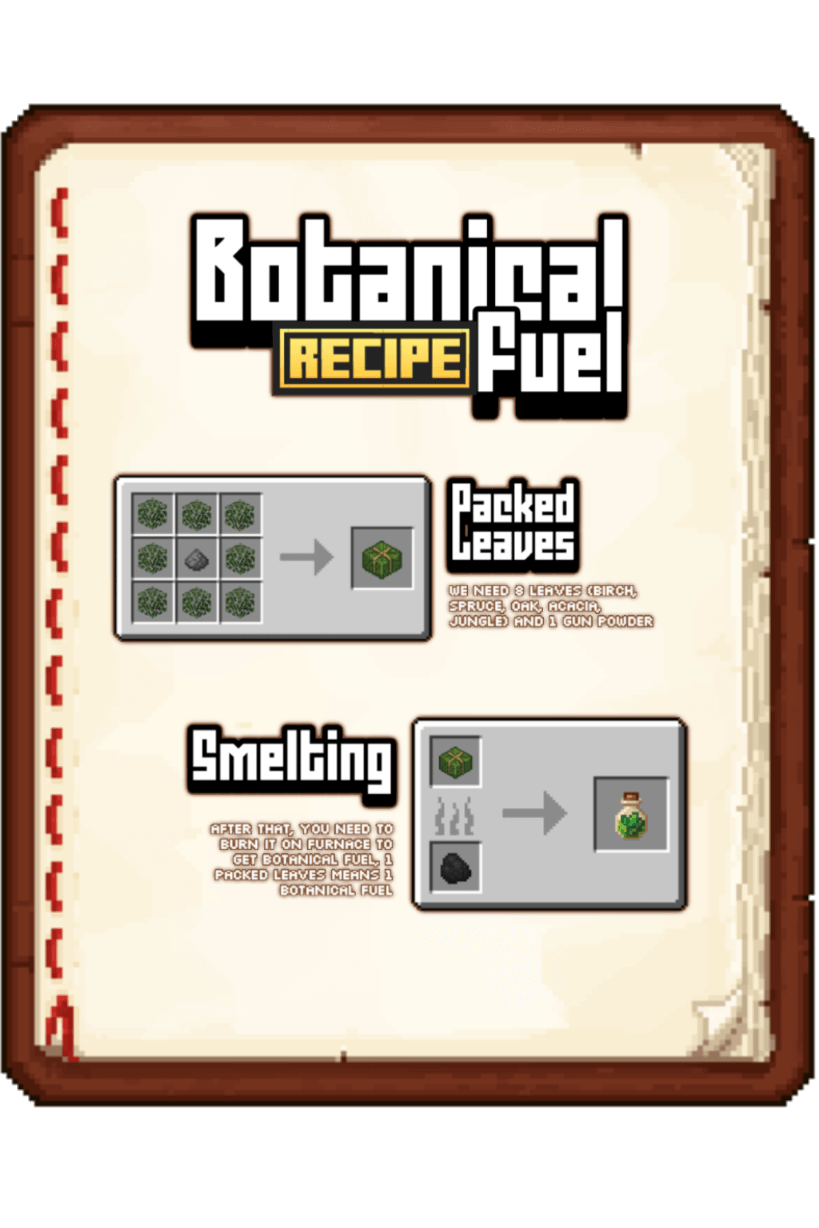
- Fuel System : Requires Botanical Fuel to activate the aircraft — no fuel, no flight.
- Working Landing Gear : Deploys and retracts based on flight state.
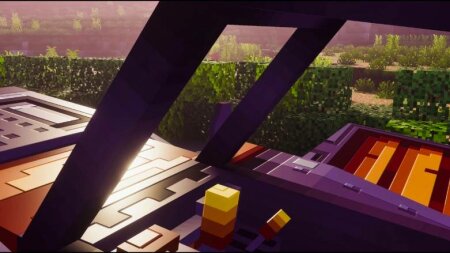
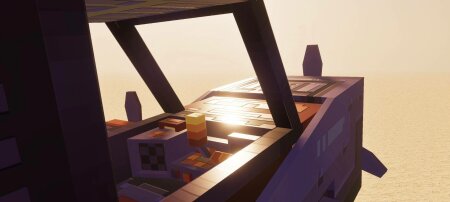
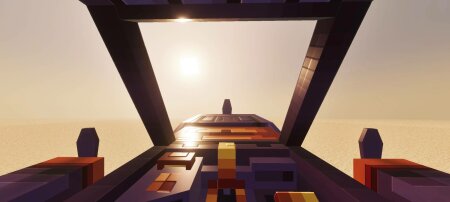
- Cockpit Animations : Functional and animated cockpit interior for immersive flying.
VISUAL & ANIMATION
- Heightmap-Ready Texture Support
When paired with Vibrant Visual Graphic Mode (Deferred Pipeline), models support detailed height & depth maps. - Smooth Body Movements
Aircraft responds to player movement: pitch, yaw, roll — all animated smoothly.
HOW TO FLY
- Open your inventory and go to the Items category.
- Find and grab the item called Skywander (located at the bottom).
- Get some botanical to use as fuel.
- Right-click or interact with the plane while holding coal to fuel it.
- Mount the plane.
- Move forward continuously until the speed indicator fills up.
- Once speed is full, look slightly upward to initiate liftoff.
- done
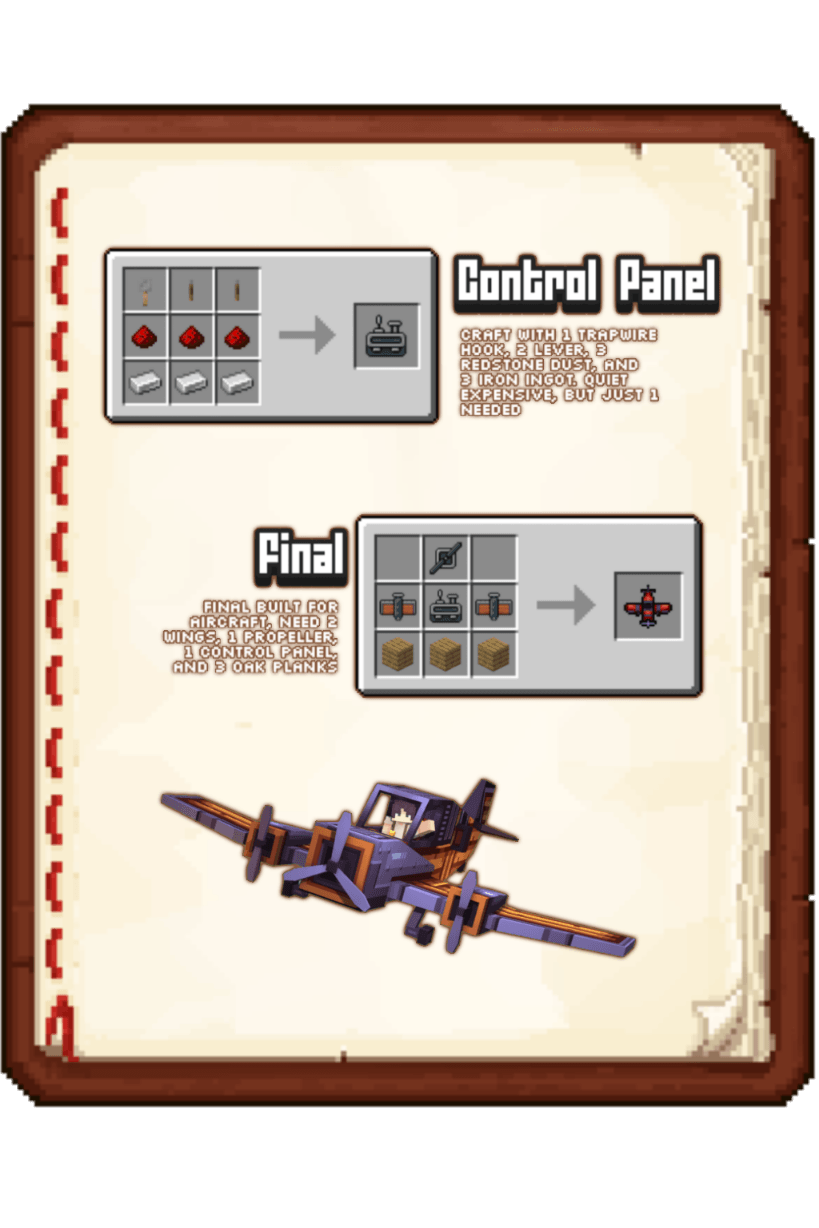
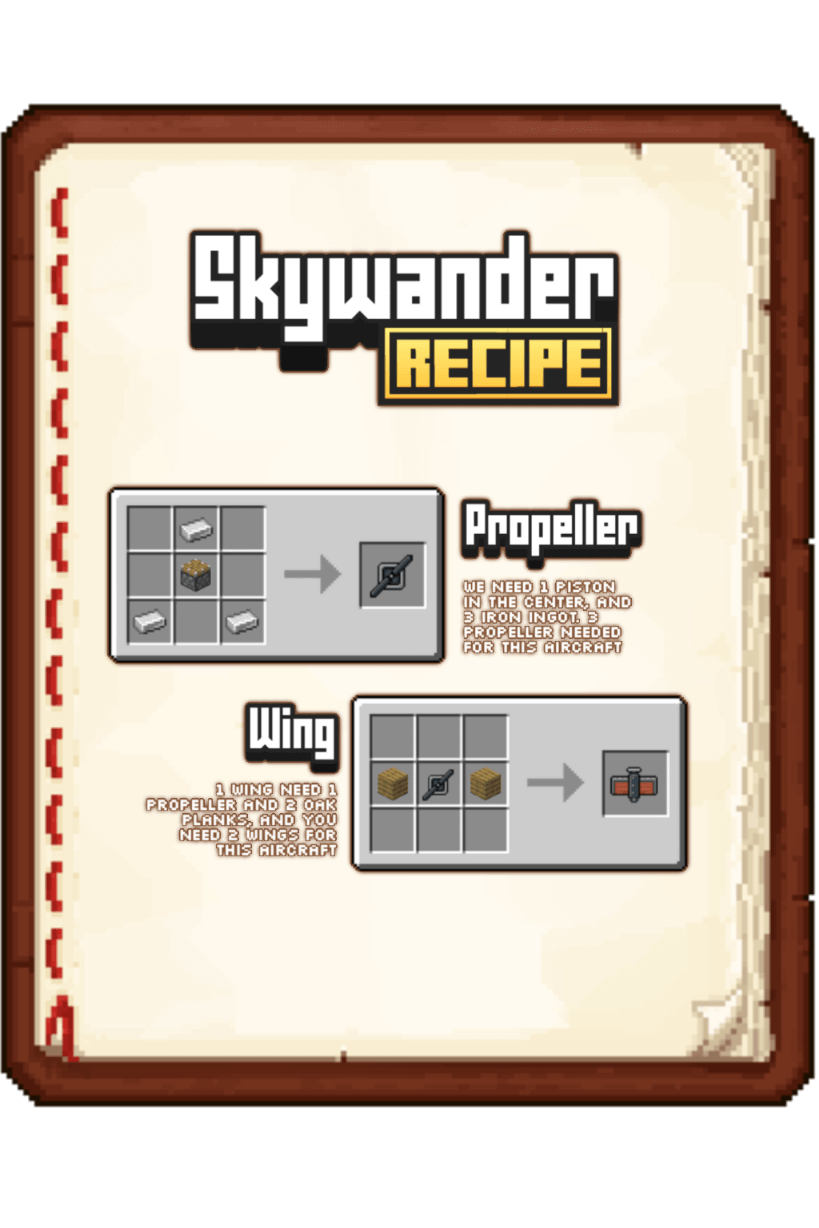
CRAFTING GUIDE
Images
Changelog
- Craftable aircraft in survival mode
- Added craftable custom fuel item
- Added 5 decals variant (Warped Planks, Crimson Planks, Cherry Planks, Bamboo Planks, and Pale Oak Planks) interact with this planks to change decals
- Added Heighmapt texture for Vibrant Visual graphic mode
- Change aircraft item into 3D item
- Add custom fuel item (also 3D item)