The first and most optimized minimap for Minecraft Bedrock!
Features:
- ✅ Real-time rendering – See the terrain as you explore.
- ✅ Dynamic shadows – Adds depth and realism.
- ✅ Water and depth detection – Navigate without getting lost.
- ✅ Lightweight and efficient design – No performance impact.
Why use it?
- This minimap can render a 31×31 block area in real-time with no performance issues
- It also features an extensive color palette, allowing the map to display all in-game blocks, including those from other addons!
- Additionally, it has support for all 3 dimensions!
How to Use
If you're on Win10 and/or using a keyboard and mouse, press F8 to show and hide the minimap!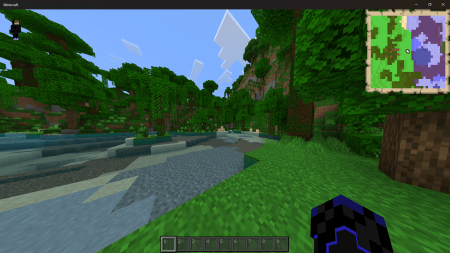
If you're using a touch device, a new button with a map icon will appear in the UI! This button performs the same function of showing and hiding the minimap!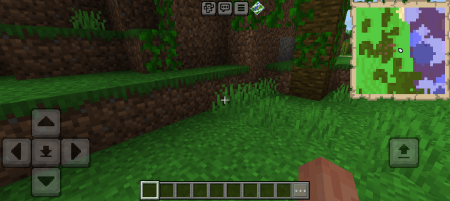
Console and Controller Users
If you're playing on console and/or using a controller, go to Settings > Video > Hide Paper Doll.
- With this option enabled, the minimap will be hidden!
- With it disabled, the minimap will be shown!
Experiments
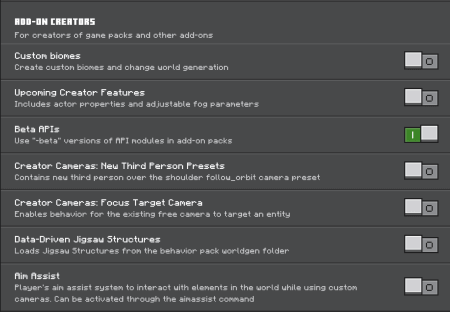
To use this addon, make sure to enable the Beta APIs experiment!![]()
Note:
If you notice any strange lines on the map, make sure your GUI scale is set to -1, and this should fix the issue!